Create LinkedIn posts that get noticed
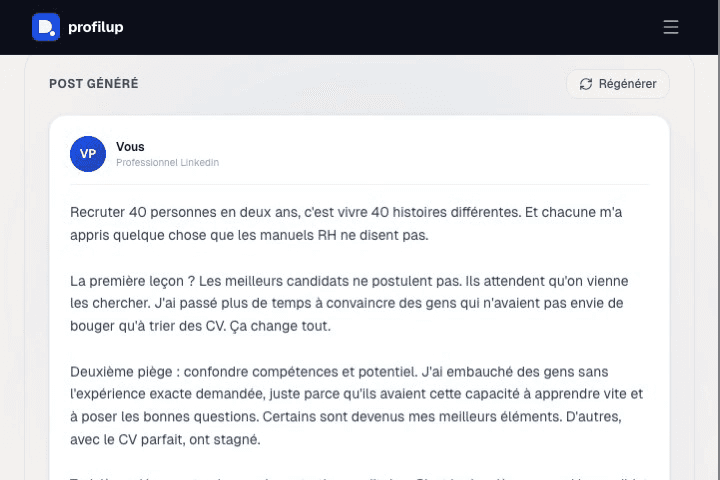
AI writes a compelling post calibrated to your profile and communication style.
Your post will appear here
Enter a topic and click Generate
How the post generator works
Posting regularly on LinkedIn boosts your profile's visibility with recruiters who check your activity — but figuring out what to write every week is the main blocker. The generator offers ideas and drafts calibrated to your positioning.
- 1Indicate your sector and positioning (expertise, desired tone).
- 2The AI generates several tailored post ideas: lessons learned, a take on a topic, a result you're sharing, a question for your network.
- 3Pick an idea and let the AI draft a structured first version that grabs attention from the first line.
- 4Adjust the text to your voice before publishing — the generated post is a starting point, not a copy-paste-ready text.
Example: for a "Fullstack Developer" profile looking to build visibility, the tool suggests a post about an unusually-solved bug, with a hook that frames the problem before revealing the fix — a format that drives more engagement than a plain announcement.
Frequently asked questions
Is the post generator included in every plan?
No, this feature is reserved for the Pro plan (€14.90/month).
Are the generated posts unique or reused templates?
Each post is generated from your specific sector and positioning — not a generic template applied to every profile.
Should I publish the generated text as-is?
No, it's best to adjust the tone and details so it truly reflects your voice — the generated text is a working draft, not a final copy-paste-ready post.
How often should I post for a visible effect?
There's no universal rule, but consistency (weekly, for example) sustains visibility better than a single post followed by long silence.